
Circular UI Development Pain Points When Integrating Smart Knob Screen Into Embedded Projects
Many embedded developers underestimate UI development complexity when introducing a **smart knob screen** to new product projects. Different from conventional rectangular TFT displays, circular panels bring unique graphic rendering challenges even after complete hardware samples arrive.
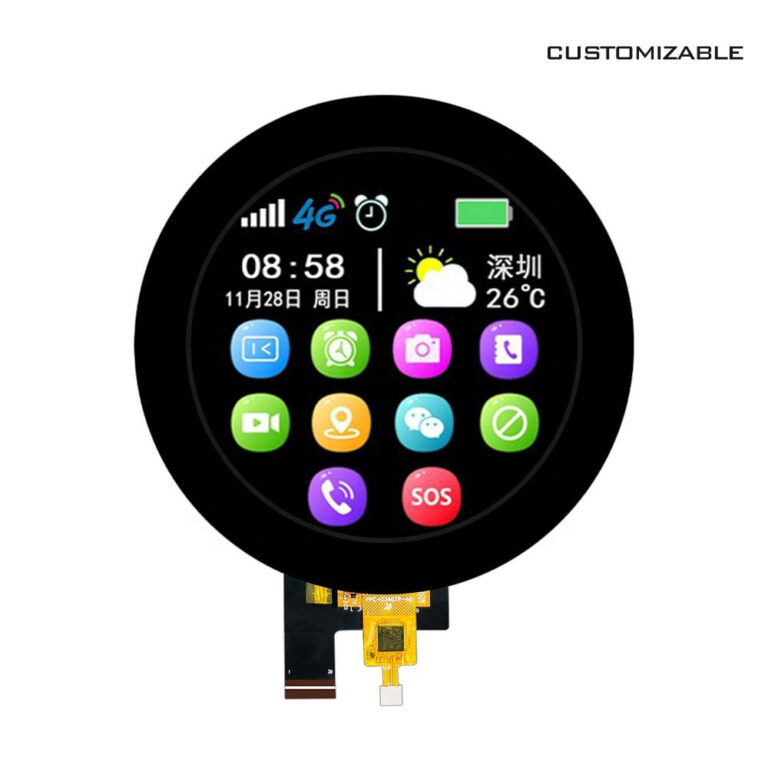
Circular visible display area is cropped from square physical pixel matrix. Without proper graphic cropping processing, UI widgets overflow into invisible corner zones and produce black corner visual artifacts. When designing radial menus, curved texts and circular dashboards, standard open source UI libraries usually lack native rendering support for circular form factor screens.
When you source a mature **smart knob screen** from professional manufacturers, you can obtain pre adapted GUI assets, demo projects and SDK packages, which greatly lower circular UI development difficulty. Many suppliers deliver ready made radial menu templates, parameter display widgets and status indicator components for fast secondary development.
Development teams should clarify UI related deliverables before formal order placement. Confirm whether vendors provide circular interface rendering example code or expect customers to implement all graphic algorithm logic independently. For teams with limited embedded UI manpower, choosing a supplier providing mature circular UI demo code will noticeably shorten debugging cycles. Ignoring circular UI complexity at early project phase frequently triggers schedule delays during prototype iteration.
Circular UI Development Pain Points When Integrating Smart Knob Screen Into Embedded Projects